Showing posts with label CRM. Show all posts

Tuesday, July 14, 2009

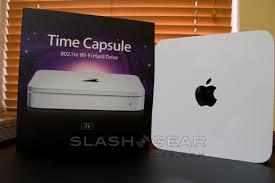
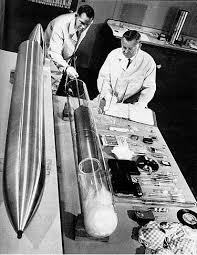
Time Capsule 2006 to 2009 - The Technologies of a technical consultant

I was sitting on the train today, thinking about the technologies I have worked with in the last three years. And you know what? I have to say web technologies have developed extremely quickly (Well of course it is!). Being a consultant allows me to indulge myself into the latest technologies, and most of the time, take the latest technologies for granted.

Sometimes I think it is actually quiet an effort to keep up (yet I have to for my passion and profession). What I mean for example is say, you install an SDK for Silverlight 2.0, work with it a little while, then you will find yourself installing the SDK for Silverlight 3.0 (And of course with that Visual Studio 2010)! It is hard work to keep up, but it is worth it!

I've worked with SharePoint 2003, I'm working with SharePoint 2007 technologies and now with the sneak peak at the exciting SharePoint 2010, I have to say being a techy guy is the best job in the world! It is very rewarding to see Microsoft listening to customers, giving them what they want. I dig the new BCS, I dig the new ribbon within the web browser, I dig multi-item checkouts, I dig the new developer tools, I dig the new backup and restore tools, I dig the new central admin.....I dig it, I dig it, I dig it! Then again, it is hard work to keep up, but it is worth it!

Anyways, the purpose of this is to keep a time capsule of the (non beta) technologies I have played within the 3 yr period. Who knows how many of these technologies will stay in my list? Here goes...

2006-2009:
Microsoft Technologies
  • C#/VB
  • ASP.NET
  • .NET 1.0, 1.1, 2.0, 3.0, 3.5
  • SQL 2000, SQL 2005, SQL 2008
  • Windows 2000, Windows 2003, Windows 2008, Windows XP, Windows Vista, Windows 7
  • Microsoft CRM 3.0
  • Microsoft CRM 4.0
  • WSS 2
  • SharePoint Portal 2003
  • WSS 3
  • MOSS 2007
  • MS Office 2003/2007
  • Microsoft Search Server 2008 and FAST
  • Silverlight 1.0
  • Silverlight 2.0
  • Internet Explorer 6.0/7.0/8.0

Third Party
  • Javascript and AJAX
  • JQuery
  • Flash
  • DotNetNuke
  • SugarCRM
  • Meridio
  • HP Trim


Tuesday, July 15, 2008

Microsoft CRM 4.0 - Browsing documents more effectively in Microsoft CRM 4.0

Ever thought browsing thru attachments in Microsoft CRM 4.0 was painful? You had to open the Entity window (ie. Contact/Account/Quotes...) and then go to the Notes tab, then scroll down to the attachment you need. Seems like alot of clicks to me.


Luckily, the guys at mscrm-addons.com released a tool a tool called "Document Summary". The "Document Summary" is available in the "Documents Core Pack for MS CRM 4.0", which includes a range of other tools such as WordMailMerge, SharePoint Integration, Send to PDF, and more.

I haven't used it myself yet, but I've seen the demo video. Here's how it looks like:


So far it looks pretty good. Point, click and browse. Simple, and very nicely done.

I don't work for mscrm-addons.com, so I'm not trying to sell their products.

For more information:
http://www.mscrm-addons.com/Products/AddonsforMSCRM40/DocumentsCorePack/tabid/130/Default.aspx

Saturday, December 22, 2007

Microsoft CRM and Silverlight - "Adding client side business logic to CRM forms using Silverlight managed code"

Silverlight is an exciting technology with a very high degree of highlight and focus for web technology enthusiasts because it has the potential to bring to the web user an enhanced, lifted and interesting user experience.

Microsoft CRM, being a technology that is closely shaped by business processes, has also a very strong focus on usability. CRM technology is data and information based, and how well we utilise the information from these systems is, in my opinion, very closely tied with the effectiveness of usability.

Microsoft CRM is a very exciting and fun product to develop (technically and business wise) with because it offers the flexibility and power to adapt to a business's needs. Just imagine if we surface the information from CRM and create new applications to embed within the CRM application, the possibilities that I see are quiet "uniquely" cool and awesome!

I found the following post by Arash, which talks about developing a basic Silverlight 1.1 (Javascript and C# Managed code) application. This is the starting point for the imaginations to become a reality...

http://blog.arash.cc/post/Adding-client-side-business-logic-to-CRM-forms-using-Silverlight-managed-code.aspx

Wednesday, October 10, 2007

Microsoft CRM 3.0 - How to Videos for Users

I came across some very useful videos hosted on YouTube in around June 2007 by a company called "CRM On Target". Although they are for CRM 3.0, I'm sure there are still many people who will find these training videos useful. Enjoy!

Microsoft CRM: Importing Sales Lead Records


Microsoft CRM: Importing Contact Records


Microsoft CRM: Creating a New Field


Microsoft CRM: Creating an Activity Related View


Microsoft CRM: 'Send Direct Email' Button in Outlook


Microsoft CRM: Assigning Tasks from Outlook

Monday, October 08, 2007

Microsoft CRM 4.0 - Get Ready for 4.0 Titan

The word "Titan" has been mentioned many time already, but because it is still in its CTP3 stage, people who have been involved in the CTP3 have not been able to say much about the product due to agreements with Microsoft. That being said, there have been quiet alot of resources available online, which I thought I'd link into a single article.


CRM Titan Books:
Working with Microsoft Dynamics(TM) CRM 4.0
http://www.amazon.com/Working-Microsoft-Dynamics-CRM-4-0/dp/0735623783/ref=pd_bxgy_b_img_a/002-5076879-0816004

Programming Microsoft Dynamics(TM) CRM 4.0 Developer Reference
http://www.amazon.com/Programming-Microsoft-Dynamics-Developer-Reference/dp/0735624275/ref=pd_bxgy_b_img_b/002-5076879-0816004


Sneak Peaks
ISVs on Titan
https://owa.uniqueworld.net/OWA/redir.aspx?URL=http%3a%2f%2fblogs.msdn.com%2fcrm%2farchive%2f2007%2f09%2f10%2fvideos-crm-isvs-talk-about-titan.aspx

Titan Screencasts from Phillip Richardson
On this particular blog from the CRM Team Blog, they give out very strong highlights of the features that will be part of 4.0 Titan.
http://blogs.msdn.com/crm/archive/2007/10/03/titan-first-look-videos.aspx

Feature Peaks
Guy Riddle's Blog "Titan" NDA Lifted
http://guyriddle.spaces.live.com/blog/cns!5D4E0DC4D1513384!210.entry

Training
Metro - CRM ISV Training (Only for ISVs enrolled into the Early Adopter programme)
http://guyriddle.spaces.live.com/blog/cns!5D4E0DC4D1513384!211.entry

Monday, July 09, 2007

Microsoft SharePoint 2007 - SharePoint Configured as a CRM Tool (DIY tutorial)

This is an interesting flash movie that teaches on how to customise a SharePoint Site as a CRM application.
http://www.sharepointhosting.com/tutorials/sharepoint-sales-crm/sharepoint-sales-crm.html

Microsoft SharePoint 2007 - SharePoint Configured as a CRM Tool?

When SharePoint was first released I recall having a conversation with a fellow colleague about the possibility of customising SharePoint as a CRM application.

A company called "BPA" did exactly just that, and named the product "Easy CRM SharePoint" (Easy CRM software solution for Microsoft SharePoint). They have flash demonstrations for this CRM application, and it proves to be very interesting indeed! Click on this link to see it: http://software.crm-sharepoint.com/default.aspx.

So how did they do it? Does it integrate core CRM functionality into Outlook? Would it be better than Microsoft CRM 3.0 itself? Well, having a bit of a look into it, it appears they've used a series of lists, calendars and custom web parts to contribute to CRM functionality. They've even got lists of reports, offline access, an Outlook connector (to attach emails to items) and more. However, as compared to Microsoft CRM 3.0, it does seem like a little child, but I'll leave that to you to judge.